
The full ICU family guide is free for every family. Get it sent to your email

The interactive monitor

The machines are simpler than they look.

This is a working copy of the bedside monitor you will see above your person's bed. Hover over or tap any vital sign and the panel on the right explains what it means, in plain words. Then press the alarm button to practice what to do when one goes off.
Bedside Monitor --:-- Room 4
HEART RATEbeats/min
78
SPO2% oxygen
97
ART. PRESSUREmmHg
118/72
RESP. RATEbreaths/min
16
TEMPERATURE°F
98.7
CUFF PRESSUREmmHg, every 15 min
120/75

Grab the monitor and drag to spin it in 3D. Let go and it settles back.

An alarm is sounding. Here is what to do.
Some alarms are routine and some matter, and you do not have to figure out which is which. Instead of panicking, tell a nurse. If an alarm keeps going and no one has come, go get someone. That is never an overreaction.

Tap or hover a vital

Start with any row on the monitor

Each color tells you one thing

Every row on this monitor is one measurement. The color, the wave, and the number all describe the same thing in different ways. Pick a row and this panel will explain it.

  • Green is the heart
  • Blue is oxygen
  • Red is blood pressure
  • Yellow is breathing

A note on the numbers

The numbers on this page are examples of a stable adult patient. Your person's targets may be different, and that is normal. The team sets a range for each patient. If you want to know the range for your person, ask the nurse. That is a great first question.

One thing before you compare screens

Every hospital's monitor looks a little different. The colors change from brand to brand, the rows sit in different orders, and some screens pack in more numbers than ours. Do not let that throw you. The numbers themselves are the same everywhere: a heart rate, an oxygen percentage, a blood pressure, a breathing rate. Learn what each number means here, then find the same numbers on the real screen, whatever color they happen to be.

Where the green line comes from

The heart behind the heartbeat.

That green spike on the monitor is your person's heart squeezing. Here is the four chamber pump drawing it, beating at the same rhythm. Tap any chamber or label to follow the path of the blood.

Right atrium. Used blood from the body arrives here first, low on oxygen.
Right ventricle. Pumps that blood a short trip to the lungs to pick up fresh oxygen.
Left atrium. Oxygen rich blood returns from the lungs and lands here.
Left ventricle. The strongest chamber. It pushes blood to the whole body, and its squeeze is the spike you see in green.
The wires on the chest are just listeners. The stickers feel the heart's electricity and draw it as the green line. Nothing goes into the body.
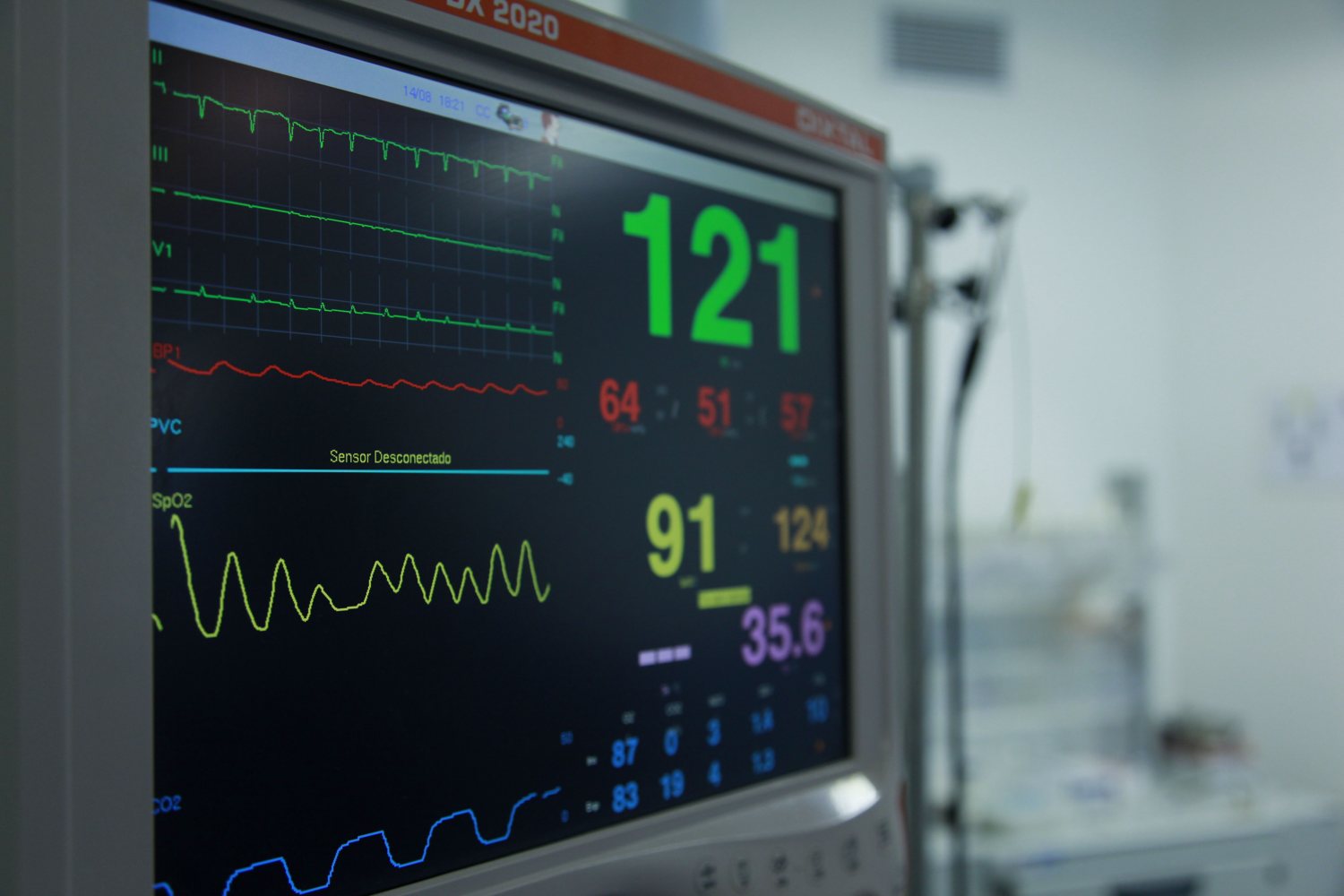
A real bedside monitor showing heart tracings and vital numbers
A real bedside monitor. Same colors, same rows, same story you just learned.

The real thing

Now look at a real one.

This is an actual monitor in an actual unit. Notice the green heart tracings on top, the numbers stacked on the right, and the wave patterns you now recognize. Real screens hold more rows than our practice one, and each hospital arranges them a little differently, but the color language is the same everywhere.

Next time you stand in the room, you will not be staring at a wall of mystery numbers. You will be reading.

Prove it with the quiz

Keep going

You know the machines. Now meet the people.

The monitor tells you what is happening. The care team tells you what it means. The interactive guide walks you through every person who will come into the room.

Open the interactive guide